Windows 10
When installing or upgrading to Windows 10 online without an installation disc, .NET will not be installed. To add it:
- Use Cortana to search for Control Panel > Control Panel (click icon)
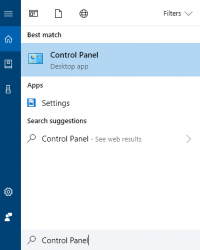
Cortana search - Control Panel > click Programs and Features > click Turn Windows Features on and off (on the left side of Programs and Features window)
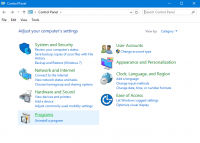
Select Programs 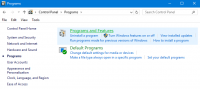
Select Programs and Features - Click box beside “.NET framework 3.5 (includes .NET 2.0 and 3.0) and “.NET Framework 4.8, then click OK
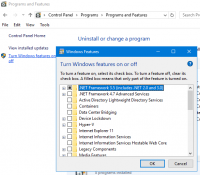
Install .NET - select Download from Windows Update


Return to Management Suite installation instructions.